Is it possible that a fully optimized Google Business Profile could draw in more clients than your actual site? Formerly Google My Business, the Google Business Profile is critical for voice results, Maps, and local search visibility. Here is a checklist covering the critical steps for claiming, verifying, and optimizing your profile. The goal is to boost visibility and sales.
This article about white label GMB SEO
Use this guide to enhance your local ranking. It helps improve relevance, distance, and prominence. By adhering to it, you can boost calls, visits, and bookings while staying within Google’s guidelines.
The checklist includes important actions like claiming your listing and adding accurate information. You’ll also learn about selecting categories, adding photos and virtual tours, and listing products and services. Furthermore, it discusses turning on messaging, using Reserve with Google, connecting Google Ads or Merchant Center, and URL tracking. Plus, it shows how to monitor reviews and insights for ongoing optimization.
Why Google My Business Matters For Local Visibility
A well-kept profile is crucial for local clients. Google Business Profile displays images, hours, feedback, and Q&A in Search and Maps. These details can lead to calls, directions, and bookings without a website visit.
Knowing what boosts your profile is important. Start by updating your name, address, and phone number. Include fresh photos and timely posts to enhance visibility. Employ a local SEO checklist to maintain correctness and uniformity.
Google uses your profile differently in Search, Maps, and voice assistants. Search displays the local pack and knowledge panels. Maps emphasizes proximity and reviews. Voice assistants give quick answers.
Local searches often favor the map pack over websites. A robust Google Business Profile can secure clicks, calls, and directions. This is vital for businesses that rely on walk-ins and same-day bookings.
SGE, or Search Generative Experience, is changing how results appear. AI Answers and local AI results may present your business information at the top. Make sure you fill in the Services, Menu, and Description fields for AI to utilize in responses.
Reviews and images are more important with AI. Having a consistent flow of real reviews and quality images enhances relevance. Apply GMB advice to ensure descriptions are brief, services are detailed, and media is fresh for better answers.
Below is a brief comparison of where profiles influence discovery and what to prioritize for each channel.
| Channel | Key Signals | Key Action |
|---|---|---|
| Search (Local Pack) | Categories, feedback, relevance, distance | Fill categories, get reviews, fix hours |
| Maps | Proximity, star rating, recent photos | Maintain accurate data, upload weekly photos |
| Voice Assistants (Google Assistant) | Brief details, phone, schedule, ratings | Shorten bio, check contact and hours |
| AI Search & SGE | Description, services, photos, review snippets | Populate description and services, request recent reviews |
How To Qualify For A Google Business Profile
Before you start, check if your business fits Google’s rules. It requires a tangible location that customers can visit. Businesses like Starbucks, Walmart, and legal offices are eligible. Verify that your business name and signs correspond to your public identity.
Not every business is eligible for a Google Business Profile. Purely online shops and rental listings are not eligible. It’s important to remove listings that don’t fit the rules to follow GMB best practices.
Think about where you want to list your business. If customers visit you, use a storefront address. If you travel to them, choose a service-area business. Certain businesses, like FedEx Office, are allowed to use both options.
Service-area listings can include up to 20 areas. Use city names, zip codes, or regions to show where you operate. This helps with local search and follows Google’s optimization tips.
Remember, your business must be open or launching soon. Your profile can only be managed by owners or authorized representatives. Have transparent records regarding who owns the business. This helps avoid problems with Google in the future.
Steps To Locate, Claim, Or Set Up Your Profile
Commence by searching on Google for your exact business name along with the city and state. Try prior names, phone numbers, and addresses if you moved or rebranded. Check for a knowledge panel on the right side of search results. A visible panel usually means an existing listing to review or claim.
Searching Google and identifying existing knowledge panels
Type variations of your name to catch duplicates or legacy entries. If the knowledge panel shows accurate info, verify ownership to secure control. If details are wrong, take notes on what needs correction before you claim or update the profile.
Steps to create a new listing in Google Business Profile
Log in to your Google account and access the Google Business Profile setup. Use an account linked to your business domain when possible to minimize future access issues. Input the official name, location/area, category, phone, site, hours, and a clear description.
Complete every relevant field. Complete entries improve local relevance and help you enhance the GMB listing for customers and search. Upload current photos and set accurate hours to avoid customer confusion.
How to claim a listing and request ownership
Click “Own this business?” or “Claim this business” on the knowledge panel if it’s unclaimed. Follow prompts to verify your connection to the business. If the panel shows another owner, use the request access link in your Google Business Profile account.
Upon requesting ownership, the existing owner gets an email and a seven-day window to reply. Keep an eye on the request status via your dashboard. If denied or ignored, reach out to Google Business Profile support and pursue the appeal to get ownership. Keep proof handy to back up your claim.
Quick GMB profile tips: maintain consistent NAP data, use a business-domain Google account, and monitor the listing after claiming. These moves make it easier to find GMB listing entries, claim GMB listing records when needed, and optimize GMB listing content for local discovery.
Ways To Verify And Best Practices
Listing verification is essential for local exposure. GMB verification keeps your business safe from unwanted changes. Additionally, it activates special features within the profile settings. Choose the right method for your business size and location, and follow GMB best practices to avoid delays.
Postcard verification is the default for most storefronts. Google sends a postcard with a code, which usually arrives within 14 days. Avoid making major listing edits while the postcard is in transit. Enter the code in Google Business Profile to complete verification. If the card does not arrive, request a replacement and ensure the mailing address is correct to speed up delivery.
Call and email options appear when Google offers them. Phone verification sends a text or automated call to the listed number. Answer and enter the code to finish. Email verification sends a verify button or code to an accessible account tied to the listing. While faster than mail, these methods are only for select cases.
GSC instant verification works when the same Google account controls a verified website URL in Google Search Console. This option lets you skip the postcard step and complete verification instantly through your account.
Live video verification is used in specific instances. Google may schedule a Google Meet or Hangouts session to see live views of the premises, logo, equipment, vehicles, or tools for service-area businesses. Get visual proof ready and have someone available to answer queries.
Bulk location verification helps chains and franchises with 10 or more locations. Organizations complete a bulk upload and provide required documentation to verify multiple listings at once. Use this for efficient management and to stay aligned with GMB best practices for multi-location businesses.
My Business Provider program allows authorized organizations like Chambers of Commerce and banks to create verification tokens for members. Agencies, SEO consultancies, and resellers are not eligible. Note that the Google Trusted Verifier program has been ended, so use current official routes.
| Method of Verification | Best For | Timing | Action Required |
|---|---|---|---|
| Postcard | Most storefronts | ~2 weeks | Confirm address; enter mailed code |
| Phone | Locations with phone lines | Minutes | Take call/SMS; type code |
| Listings with email access | Fast | Click link or enter code | |
| Search Console | When site URL is verified in Search Console | Immediate | Claim with same account |
| Video call | Special cases; remote verification | By appointment | Show live video of site |
| Bulk upload | Chains (10+ sites) | Varies by review | Upload data & docs |
| My Business Provider | Members of approved organizations | Variable | Obtain token from provider for member listings |
Follow GMB verification rules to keep your listing stable. Keep contact details and addresses current before you start. Limit edits while a verification request is processing. After verification, apply GMB best practices like accurate categories and regular photo updates to maximize search and Maps performance.
Handling Users, Access Levels, and Group Locations
Good account governance keeps listings secure and consistent. Establish rules regarding who edits data, answers reviews, and publishes posts. Use role-based access to limit risk while enabling teams to act fast on updates and customer interactions.
Primary owner, owner, manager, and site manager each have distinct permissions. The primary owner has full control and cannot be removed unless ownership is transferred. Owners have similar rights, including adding/removing users and deleting listings.
A manager can edit business details, posts, and services but cannot manage users or delete the profile. A site manager has limited edit rights such as uploading photos, publishing posts, and responding to reviews, with view-only access to many settings.
Adhere to best practices by granting the lowest necessary privileges. Avoid granting owner-level access to outside agencies unless absolutely necessary. Keep the business as primary owner to prevent accidental loss of control or listing deletion when third parties change roles.
Set up a recurring audit to check access for each listing. Delete old accounts, check permissions after staff turnover, and record ownership transfers. Regular audits reduce the chance of fraud and support consistent GMB listing optimization across locations.
For businesses with many locations, use location groups to centralize control. Make a group in the dashboard, add listings, and assign group-level users to manage permissions for multiple sites. This approach simplifies workflows for franchises, retail chains, and multi-office firms.
| Role | Permissions | Best For |
|---|---|---|
| Primary owner | Total control, transfers, user mgmt, deletions | Execs or admins needing permanent access |
| Business Owner | User mgmt, settings edits, deletions | Trusted senior staff who handle critical account changes |
| Manager | Edit info, posts, services, reviews | Marketing staff doing daily tasks |
| Site manager | Restricted: photos, posts, reviews, insights | On-site staff or store managers who handle local interactions |
When you manage GMB users, document each access level and reason for granting it. Employ location groups to ease permission updates and speed up optimization across addresses. These actions follow GMB best practices and lower the risk of expensive errors.
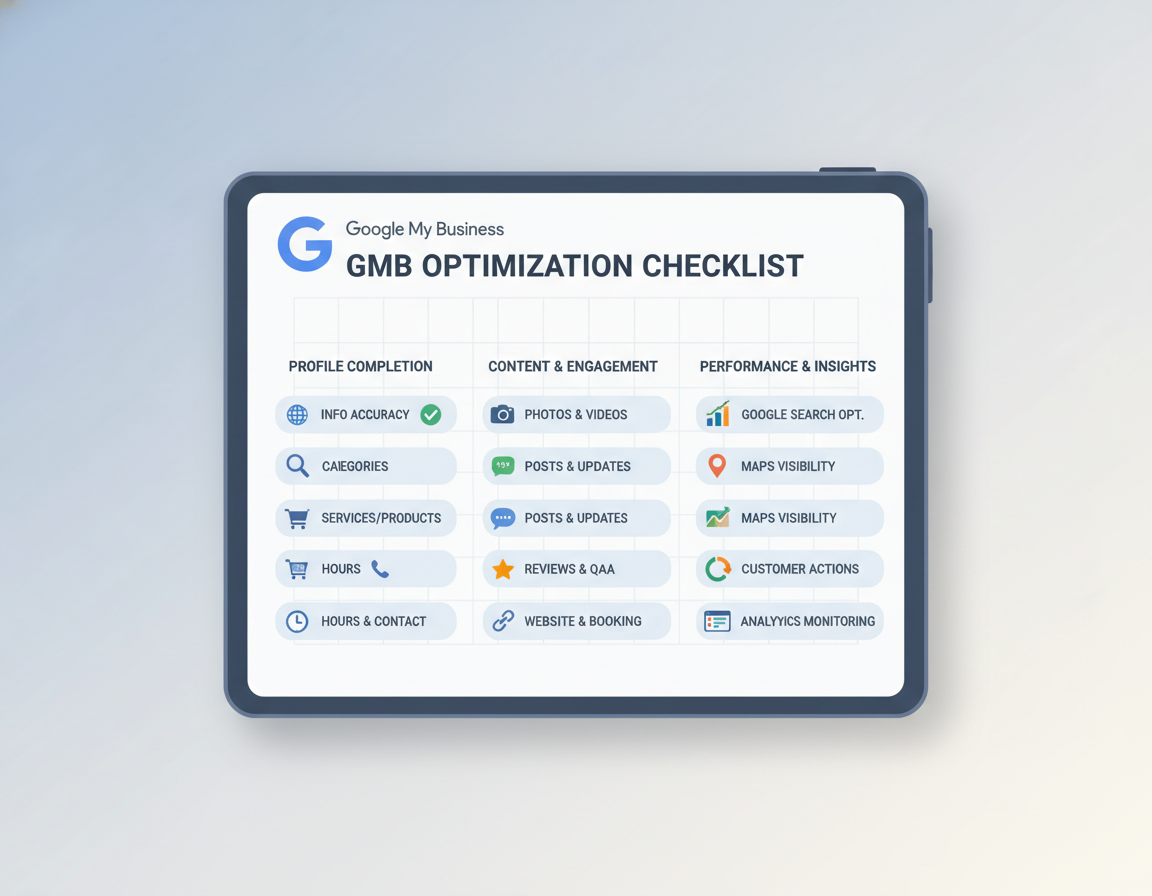
Checklist For Optimizing GMB
Use this checklist to make small updates that lift local visibility and improve GMB listing optimization. The items below focus on accuracy, category strategy, and practical hour settings that align with GMB ranking factors. Consistently apply each step across your site, directories, and channels to aid your local SEO.
Accurate NAP (Name, Address, Phone Number)
Ensure the business name matches your signs, legal docs, and website. Do not insert keywords, service lines, or city names into the official name. Use a single street address format everywhere and check it with address-validation tools.
For phone numbers, list the operational local number as Primary Phone when possible. If you use a call-tracking number, make it an additional number unless the tracking line is the one customers really call. Ensure NAP fields are identical across profiles to limit confusion and safeguard ranking signals.
Choosing categories with strategy
Select the most precise primary category. This choice heavily impacts how Google ranks and classifies you. Add all relevant additional categories that truly reflect services you provide.
Ensure the primary category is consistent across all locations. Audit competitor categories with tools such as the Phantom extension to spot gaps and opportunities. This strategy connects directly to GMB optimization and ranking factors.
Optimizing business hours, special hours, and short name
Enter standard business hours customers can rely on. Add special hours for holidays, seasonal shifts, and events so searchers see correct availability. Seasonal spots should use special hours, not change the main schedule.
Make a short name (max 32 chars) for sharing and review links. Confirm the short name and hours appear the same on social profiles, website contact pages, and any local ads to keep consistency across your local SEO checklist.
| Component | Action Step | Importance |
|---|---|---|
| Name | Use real legal name | Avoids bans, builds trust |
| Address | Standardize street, suite, ZIP | Improves citation consistency and geocoding accuracy |
| Primary Phone | Use local line | Better UX & tracking |
| Extra Numbers | Add tracking as secondary | Clear contact & metrics |
| Primary Category | Choose the single most accurate option | Impacts rank & relevance |
| Additional Categories | Add relevant services | More search coverage |
| Regular Hours | Enter customer-facing hours | Less confusion |
| Special/Holiday Hours | Schedule exceptions in advance | Prevents bad user experiences and negative signals |
| Short Name | Create up to 32 characters | Makes sharing and reviews simpler for customers |
Enhancing Rich Elements: Images, Goods, Services, And Menus
Top-notch visuals and product details make your Google Business Profile stand out. Maintain a photo schedule and complete product/service entries. These steps help keep your listing current and useful.
Photo types and cadence
Start with a complete initial set: one logo, one cover image, three team shots, and more. Pro photos establish trust. Bad images can decrease clicks and conversions.
Add photos often. Google notes photo-upload frequency when ranking active listings. Target adding new photos every 2-4 weeks.
Listing products, services, and menus
Utilize the Products and Services sections where applicable. Create organized collections and add each item with a name, price, and description. Keep descriptions client-centric and keyword-rich.
Restaurants should populate menu items directly in the profile, not just as a PDF link. This allows Maps and SGE to display relevant snippets.
Virtual tours and professional photography
Hire a Google pro for an indoor Street View tour. Places like hotels and salons often get more interest with tours. Google says tours boost reservations and visibility on Search and Maps.
| Element | Min Qty | Frequency | Benefit |
|---|---|---|---|
| Logo | 1 | Update as branding changes | Builds brand recognition |
| Cover Image | 1 | Quarterly/Seasonal | First impression management |
| Team photos | 3 | Every 1–3 months | Builds trust & humanizes |
| Interior photos | 3 | Monthly/Quarterly | Shows vibe & expectations |
| Outside Photos | 3 | Quarterly/Signage change | Easier to find location |
| Product/service images | 3+ | Biweekly to monthly | Highlights items & converts |
| Products/services entries | All primary offerings | Update with new SKUs or pricing | Improves relevance for queries and supports Google My Business optimization |
| Menu items (restaurants) | Top dishes | Seasonal/Monthly | Feeds Maps and SGE, boosts click-to-book and orders |
| 360 Tour | 1 (recommended) | When layout changes | Boosts visuals & bookings |
Apply these GMB best practices to optimize your GMB listing content. Clear images, accurate product data, and a polished virtual tour create a stronger profile and better customer experiences.
Optimizing Links, URLs, And Tracking For Conversions
Profile links convert views to actions. A strategic URL and tracking plan help you track calls, bookings, and form fills. Use these practical steps to improve conversions and support GMB listing optimization across single and multi-location setups.
Pick the right URL for each location. Single-location businesses should link to a homepage that loads fast and is mobile-friendly. Multi-location brands should point each listing to a specific location landing page. Each landing page should use https, show a clear CTA, display the phone number prominently, and include a short lead form to capture visitors.
Use appointment, menu, and booking links to minimize friction. Set the Appointment URL to a booking system or contact page that works for mobile users. Restaurants benefit from a Menu URL that links to an HTML page; skip PDFs when possible. If you use Reserve with Google or a scheduling partner, confirm the integration with the provider so third-party links display correctly. These small steps will help optimize GMB listing actions.
Apply UTM parameters for precise tracking. Build campaign URLs with source=google, medium=organic, campaign=gmb and add a location identifier for multi-site campaigns, for example campaign=gmb5. Use content=primary, content=appointment, or content=menu to separate link types. Track these UTM-tagged visits in Google Analytics to attribute calls, bookings, and form submissions to the profile.
Monitor conversion paths and iterate. Check landing pages for bounce rates, time on site, and conversions. For weak pages, try simpler CTAs, less fields, and better speed. Regular checks and small changes will help you optimize GMB listing performance over time.
Use GMB tips for link maintenance. Update URLs after redesigns, change booking links for new tools, and ensure menus are current. This boosts trust and aids long-term GMB optimization.
Review Management, Q&A, And Attributes
Positive reputation signals make your business distinct. It’s important to get reviews, answer questions, and update attributes. These actions are key to any GMB optimization plan.
Ethical review generation
Request reviews in person following a great experience. Send a short email with a direct review link. Include a review request on receipts or follow-up texts when it’s right.
Employ platforms like Podium or BrightLocal for mass requests. Always follow Google review policies. Show customers how their feedback aids you.
Responding to positive and negative reviews
Thank customers for positive feedback quickly. For complaints, stay calm and acknowledge the issue. Offer to solve the problem offline and give clear next steps.
Solving issues publicly demonstrates care. It is a key part of GMB best practices for reputation.
Controlling Questions & Answers and traits
Answer common queries with the Q&A feature. Post likely customer queries and answers. This ensures prospects see correct info immediately.
Configure attributes such as wheelchair access and languages in Info > Attributes. Check for user attributes and fix errors fast. Accurate attributes improve the user experience and support Google My Business optimization.
Regularly follow this GMB profile tips checklist. Small, consistent actions lead to big gains in search and Maps. Reputation management is vital for lasting GMB success.
Boosting Local SEO: Citations, Schema, And Auditing
Strong local signals help Google connect a business to nearby searchers. Focus on consistent citations, accurate schema, and a tight competitive audit to improve visibility. Use the local SEO checklist below to sync on-page and off-page signals with your Google Business Profile.
Creating uniform citations for better prominence
List your business on major directories like Yelp, Facebook, Yellow Pages, and industry sites. Ensure NAP (name, address, phone) is the same everywhere. Inconsistent listings confuse Google and weaken GMB ranking factors.
Track citation sources and correct mismatches as part of routine GMB listing optimization.
Implementing LocalBusiness schema and validating markup
Put LocalBusiness schema on location pages to match GMB details. Include address, phone, opening hours, geo-coordinates, and aggregateRating markup. Check schema with structured data tools to prevent errors.
Proper markup links page content to the GMB profile for search engines.
Auditing competitors: categories, reviews, and proximity
Audit with BrightLocal or Local Falcon to find competitors. Check categories, reviews, ratings, and links. Note which competitors use LocalBusiness markup and where they earn links.
Set realistic review and category targets using audit data.
- Ensure NAP consistency on 10+ directories.
- Check that error-free schema is on every location page.
- Set review benchmarks based on top three competitors in your radius.
- Prioritize location in category and landing page decisions as distance drives local rankings.
Keep the local SEO checklist updated each quarter. Small citation fixes and clean schema reinforce GMB ranking factors. Regular competitive audits inform smarter GMB listing optimization and long-term Google My Business optimization.
Observing Performance, Insights, And Constant Optimization
Regularly check your performance to make data-driven decisions. Use Google Business Profile Performance (Insights) to see how many views come from Search versus Maps. Also, track user actions like website clicks and calls.
Run geo-grid rank checks to see how visible you are in different locations. BrightLocal and Local Falcon show ranking shifts. This helps you understand your visibility better.
Keep your profile up to date with a monthly routine. Verify hours and upload new photos. Also, respond to reviews and publish Google Posts or Offers.
Use a table to monitor your tasks and how often to do them. This makes it easier for teams to align and not miss anything.
| Action | Frequency | Reason |
|---|---|---|
| Insights review (Search vs Maps, queries) | Monthly | Analyze traffic & adjust |
| Rank Checks | Quarterly/After changes | Map neighborhood visibility and detect proximity issues |
| Hours and special hours verification | Monthly Check | Accuracy for users & AI |
| Upload Photos | Monthly | Freshness & engagement |
| Respond to reviews and monitor Q&A | Every Week | Protect reputation and improve local signals |
| Publish Posts, Offers, or Events | Biweekly | Show activity and influence short-term visibility |
| Audit links, UTM tracking, and landing pages | Monthly | Track conversions |
| Duplicate listing and attribute audit | Quarterly | Prevent conflicts and maintain consistent NAP |
Use these GMB tips daily. Tiny updates have big impacts. Use the GMB optimization checklist to keep your team on track and watch your GMB grow.
Summary
An optimized Google Business Profile is vital for local exposure and getting clients. This checklist covers everything from claiming your profile to adding rich content like photos and menus. It ensures your business shows up right in search and Maps.
It’s also crucial to keep your profile current. Use the local SEO checklist for reviews, Q&A, and more. Adding UTM tracking helps gauge how well your efforts work. Consistency here keeps you visible as search tech advances.
Marketing1on1 and others can help with managing your Google My Business profile. They audit listings, track results, and update profiles. Regular checks and updates help your business stay competitive and attract customers when they search.
Related: Affordable SEO Optimization Service